
CED Buddy
In preparation for iPhoneYour life with IBD.In one place.
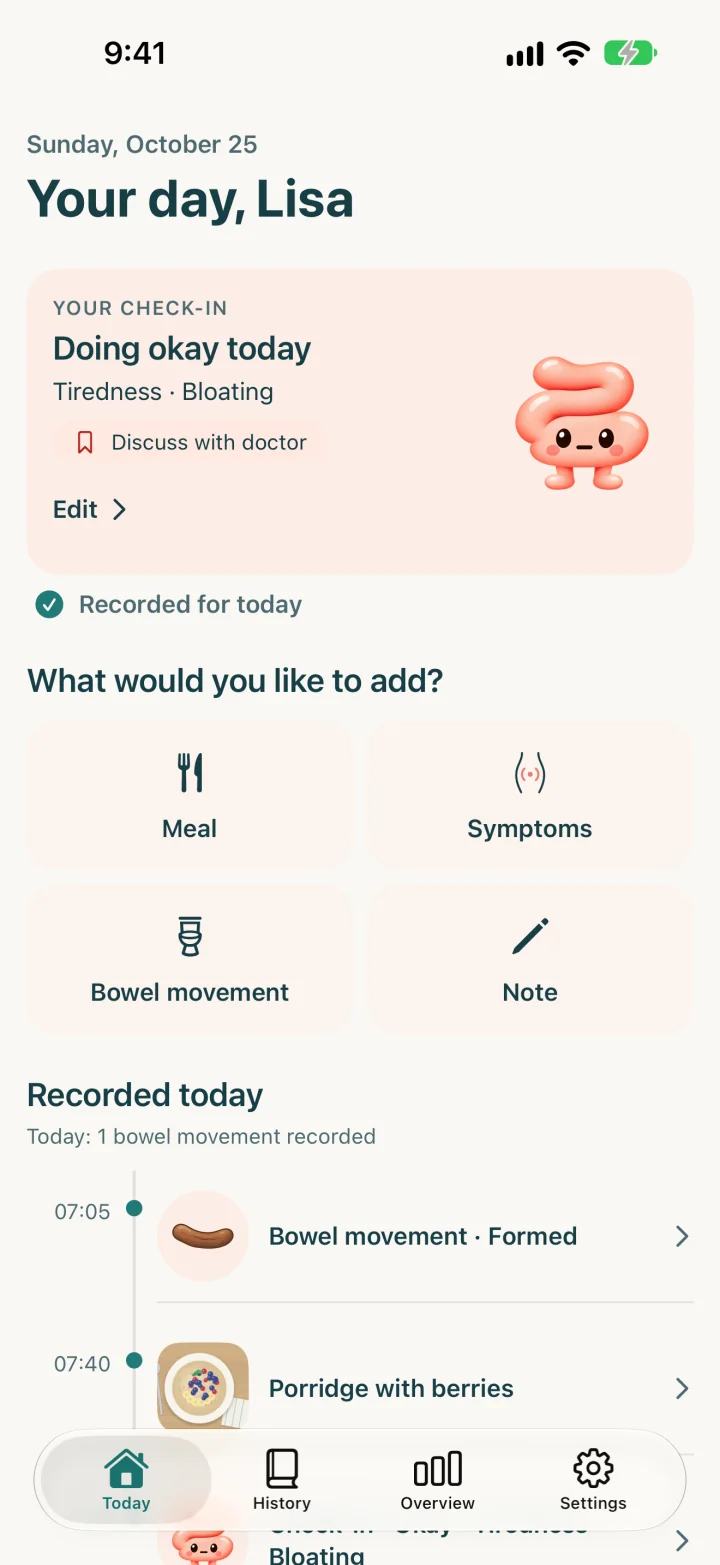
Record how you feel, your symptoms and meals, and prepare your notes for your next doctor's appointment.
For people with Crohn's disease or ulcerative colitis.
- No account
- Journal on your device
- One-time purchase for PDF reports
How it works
From a quick entry to the doctor's appointment
01Record
One check-in a day. Just a few taps.
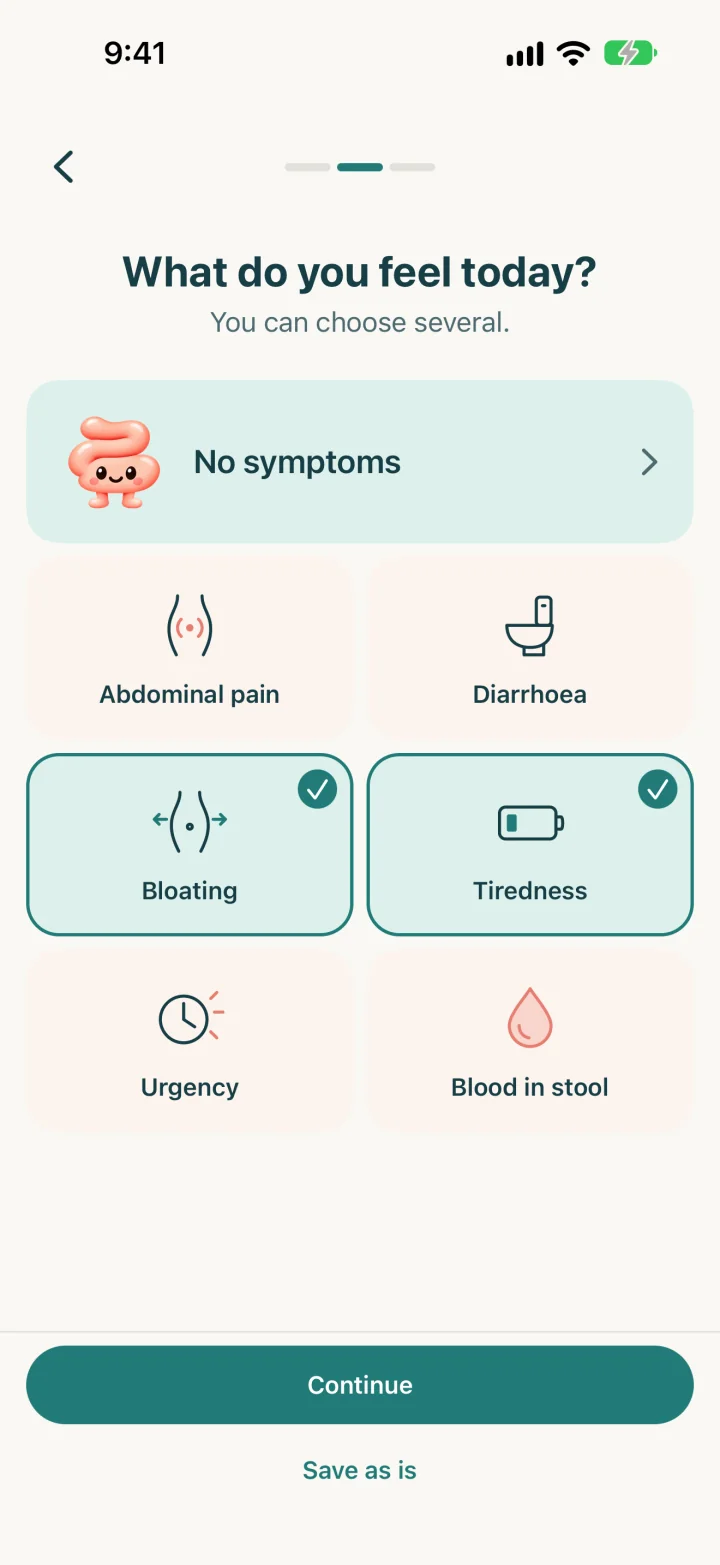
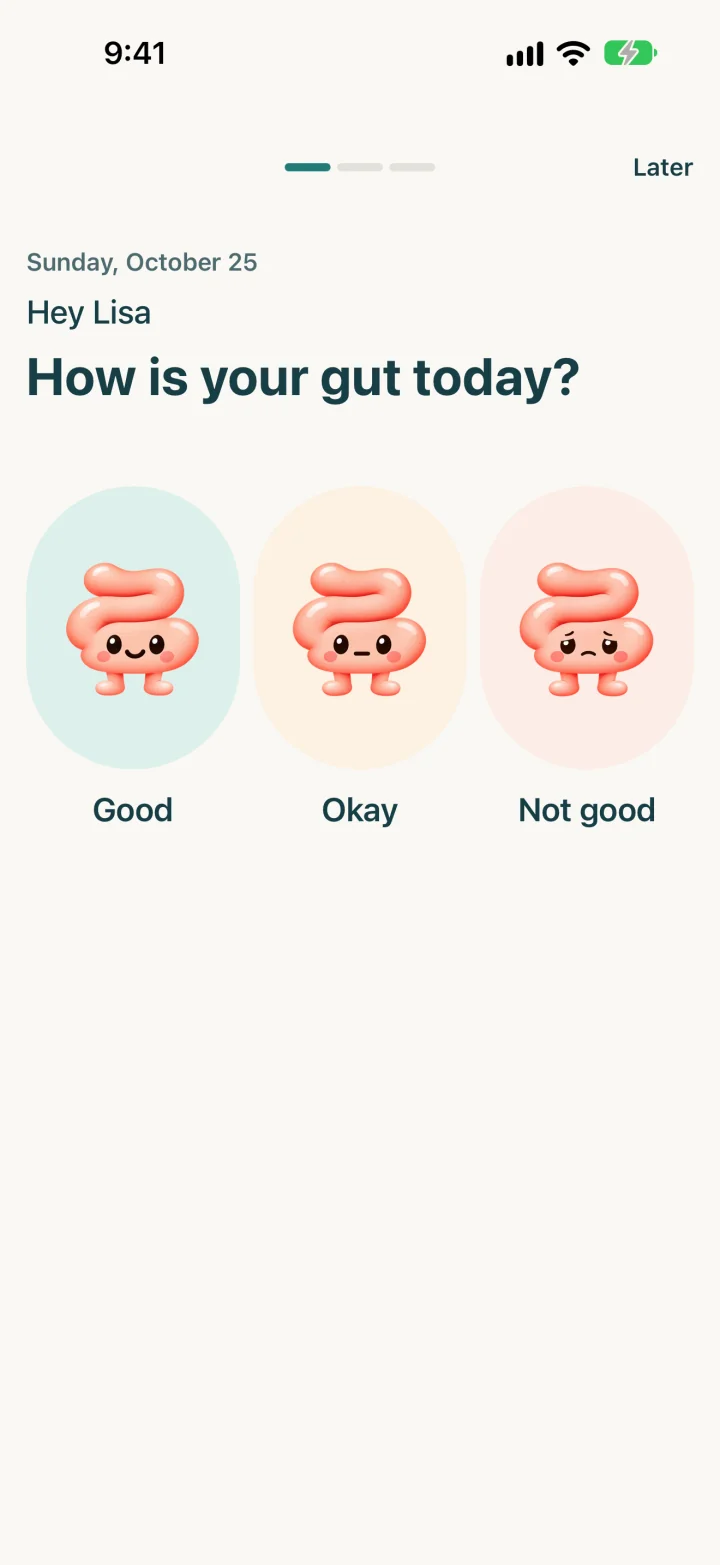
The guided check-in first asks how you feel: good, okay or not good. Then you pick your symptoms and, if you like, add a note.
- Meals with a photo or a short name; frequent meals one tap away if you save them
- Symptoms, bowel movements and notes recorded separately, whenever they happen
- Optional daily reminder, worded discreetly if you prefer
02Look back
Find your entries again.
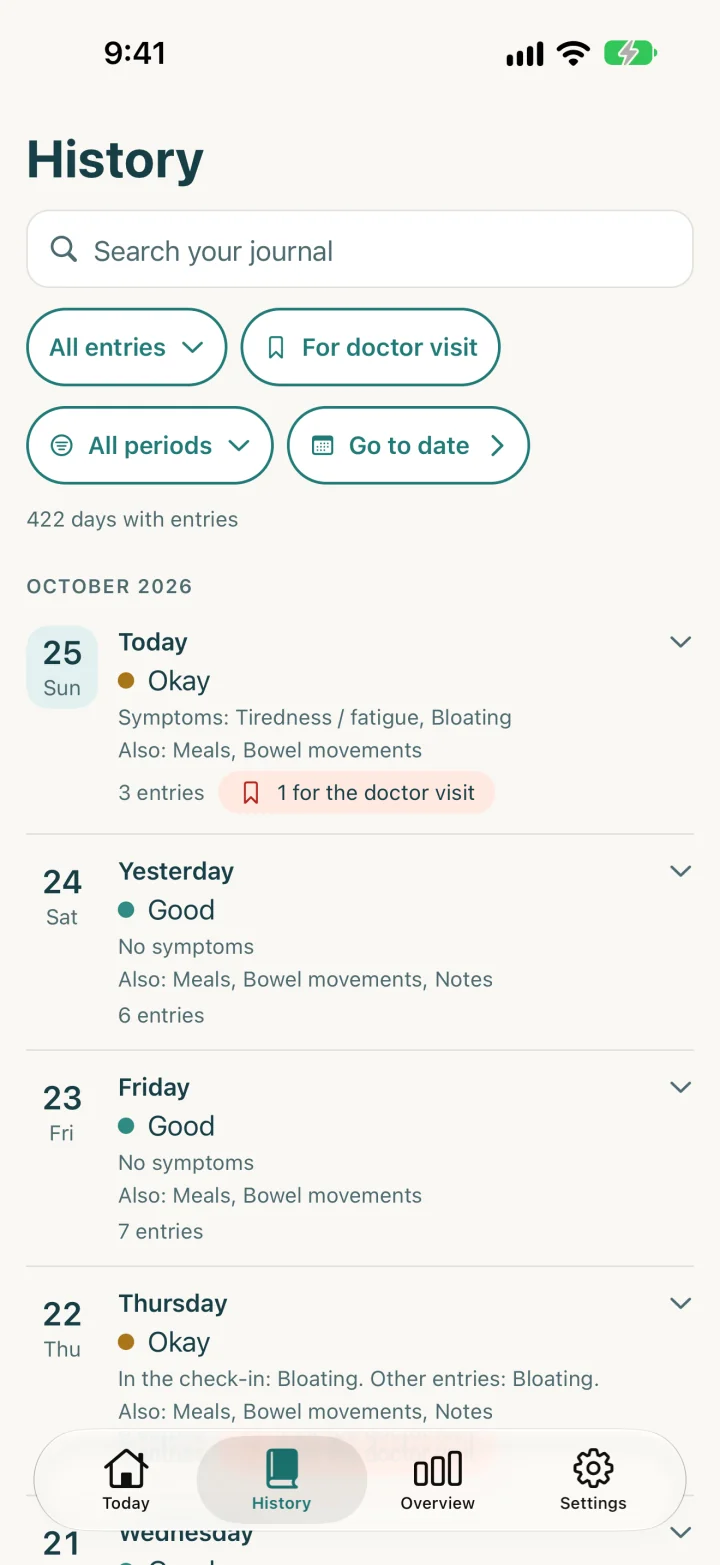
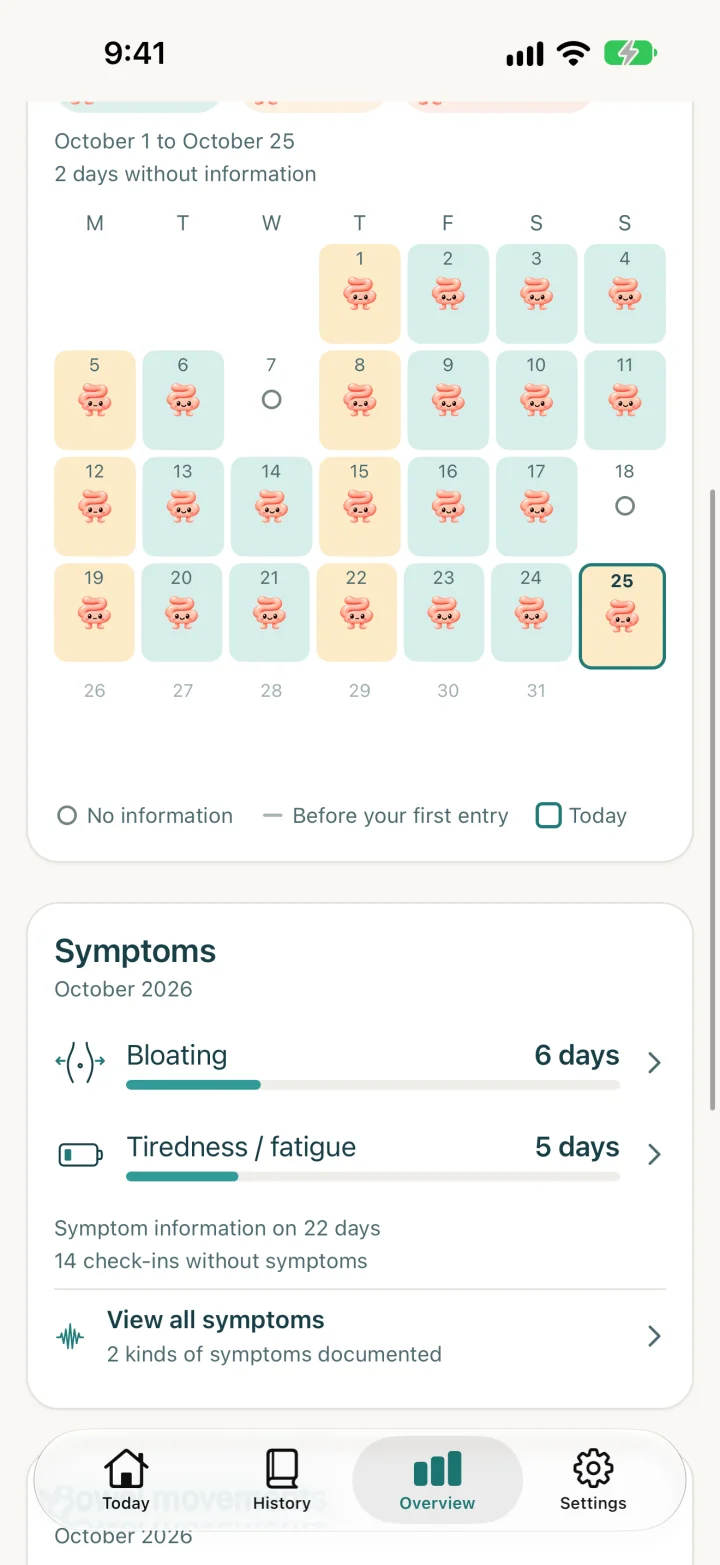
History shows every day with entries, with search and filters. The overview sums up a month or a year: which wellbeing you recorded on which days and which symptoms you noted.
- Search your journal and filter, for example by doctor marks
- Month and year overview, including days without information
- The app only counts what you entered. It does not rate or interpret anything.
03Ready for your appointment
Bring your questions to the appointment.
Mark the entries you want to discuss for the doctor's visit. For the appointment, the app compiles your information into a structured PDF report.
- Marked entries at a glance, right from the overview
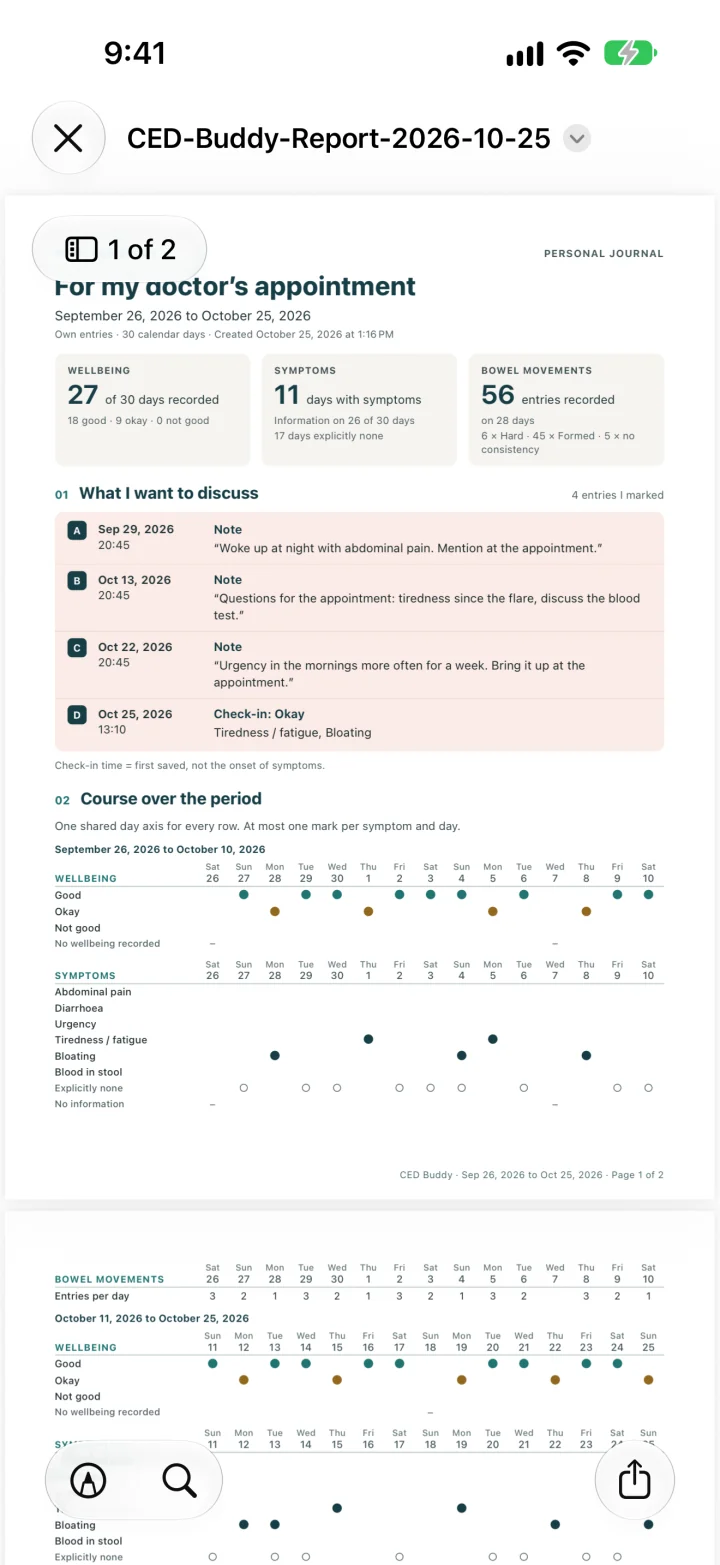
- Report with key figures, history and “What I want to discuss”
- Period, contents and preview are free; you create the PDF after a one-time paid unlock
Doctor reports
Unlock once, create as many reports as you like.
The report summarises your own entries for the conversation with your doctor. It makes no diagnosis and does not infer causes from meals.
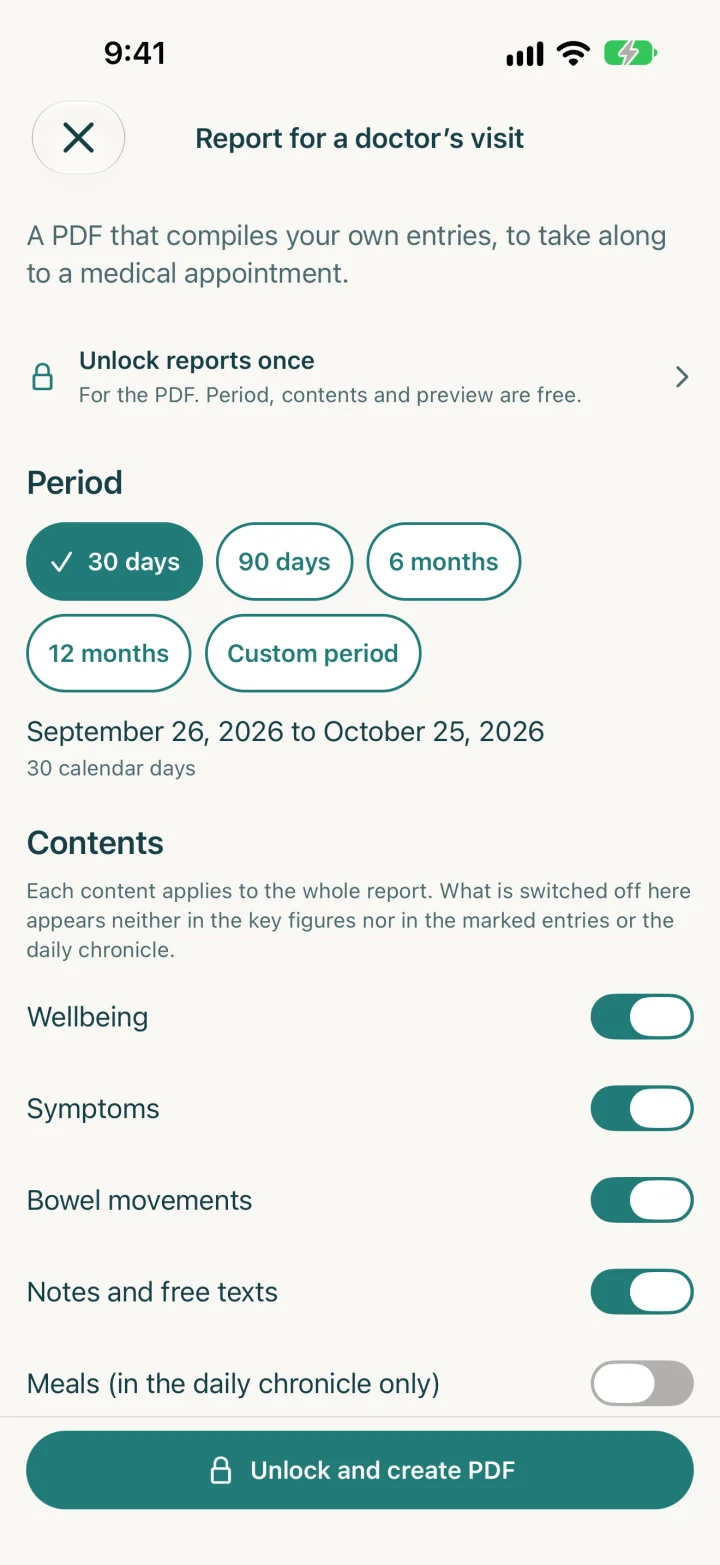
Choose a period
30 days, 90 days, 6 or 12 months, or a custom period.
Choose contents
Wellbeing, symptoms, bowel movements, notes and meals. Meal photos are not included.
Bring marked points
Your marked entries appear under “What I want to discuss”.
View and share the PDF
Whether and with whom you share the PDF is up to you, in the share sheet.
Free
- Check-in, meals, symptoms, bowel movements and notes
- History with search, month and year overview
- Marks for the doctor's visit
- Backup and restore
- Period, contents and preview of the report
Unlock once
- Create personal PDF reports, as many as you like
- No subscription, no cost per report
One-time in-app purchase. You see the current price in the app before you buy.
Purchase and payment are handled by Apple's App Store. The purchase needs a connection to the App Store.
Your data
What happens to your entries
On your iPhone
Journal entries and photos are stored locally and encrypted on the device.
No server of our own
The app does not upload your journal to a server. There is no account and no sync.
You make the backup
To move to a new device you need a backup file with a password. The app does not back up automatically.
PDF without a password
A report you share is not password-protected and contains your information.
Email only if you want
You write and send support and feedback emails yourself, from your mail app. The app attaches nothing from the journal.
Purchase through Apple
For the purchase, the app talks to the App Store. No journal data is transferred.
CED Buddy is a personal journal, not a medical tool. The app makes no diagnoses, does not measure inflammatory activity and gives no treatment recommendations.
FAQ
Quick answers
Who is the app for?
For people with Crohn's disease or ulcerative colitis who want to keep track of their everyday life and prepare for doctor's appointments. CED Buddy is a personal journal and does not replace medical advice.
Do I need an account?
No. You start without an account, without an email address and without your real name. A nickname for the greeting is optional.
What is free?
The journal, history, overview, marks for the doctor's visit, backup and restore. You can also see a report's period, contents and preview without buying. Only creating personal PDF reports is unlocked once.
How do the doctor reports work?
In the overview, tap “Create report”, choose the period and contents and look at the preview. After the one-time unlock, the app creates the PDF. Whether and where you share it is up to you.
How do I move my journal to a new iPhone?
With a backup file: under Settings › Backup & restore you create a password-encrypted file and store it somewhere other than the old iPhone. On the new iPhone, choose “Restore a backup” at the start. Without the password the file cannot be opened, not even by the developer.
Is there an Android version?
No. CED Buddy is being built for iPhone first. There is no date for Android.

Not on the App Store yet
CED Buddy is being prepared for iPhone. As soon as the app is available on the App Store, you will find the link on this page.
Developed by Emanuel Wullschleger.